
It’s easy as 1, 2, 3!
🎤 Step 1: Record Your Voice
Go to Vocaroo.com or click the button below and record your voice message.
Once you’re happy with it, click “Save & Share” and copy the link.
📱 Step 2: Generate a QR Code
When you record the message, click on the bottom left corner “QR Code”
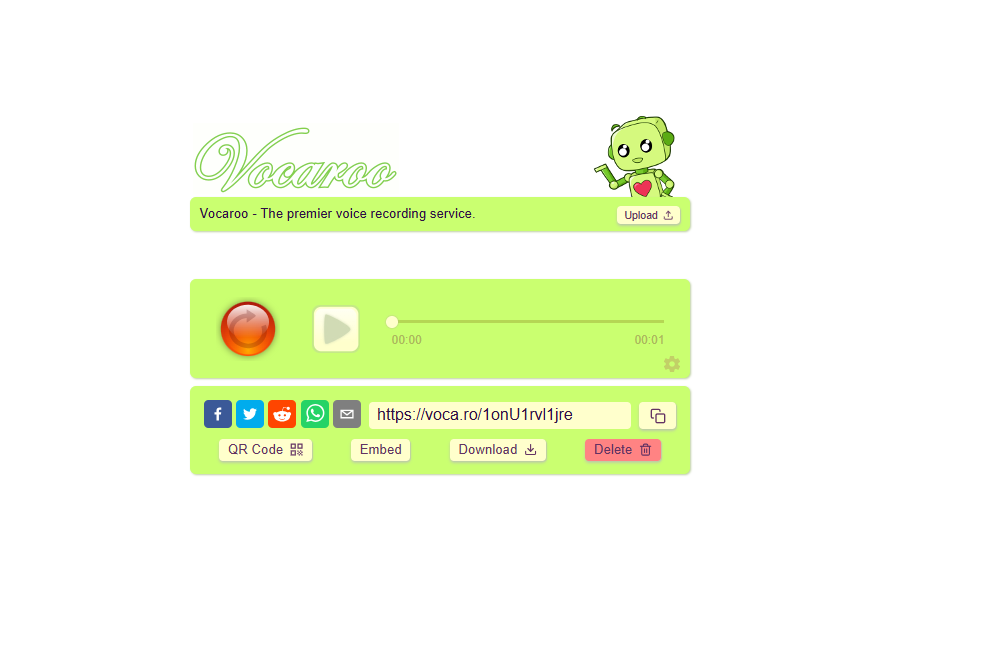
📤 Step 3: Upload Everything
Fill in the form below and upload:
- Your QR code image
- The photo you want on the product
⚠️ Disclaimers
- We are not responsible for where the sticker is applied.
- Within the message itself, we can only promote positive messages but cannot be responsible for the recorded messages.
- Unfortunately, no refunds.